
State of Auth in AI apps












The way software enters an organization today is nothing like it used to be — especially when it comes to modern AI apps. One curious team member tries a tool in seconds, teams organically adopt it, and the entire company relies on a tool that didn’t exist in their stack last quarter. This shift has created a new category of AI-native, business-focused products with growth patterns that look nothing like legacy SaaS.
But behind that fast, frictionless adoption lies the most overlooked systems in product design: authentication & authorization.
They shape decisions like
To understand how this new generation approaches these choices, we conducted an in-depth manual teardown of 50+ modern AI companies, studying their signup flows, identity models, and org patterns to map the realities of today’s fastest-growing products.
Teams made different authentication choices depending on their users, markets, and growth paths. Some emphasized speed, others emphasized control, and many shifted approaches as their products scaled.
Industry research echoes this complexity. In a recent analysis of SaaS companies,
These signals clearly highlight how closely identity choices are tied to product velocity, and how decisions made early can shape what becomes possible later.
Against that backdrop, below patterns surfaced consistently across our research.
Passwords fail for a simple reason: they rely on humans. 81% of security breaches start with compromised credentials, reused across services, written on sticky notes, phished in emails, chosen poorly despite complexity requirements.
The fix isn't better password policies. It's eliminating passwords completely.
Gartner predicted that 60% of large enterprises will eliminate passwords by 2025, but modern AI products are half way there. They’ve moved to passwordless as the default, not the exception.
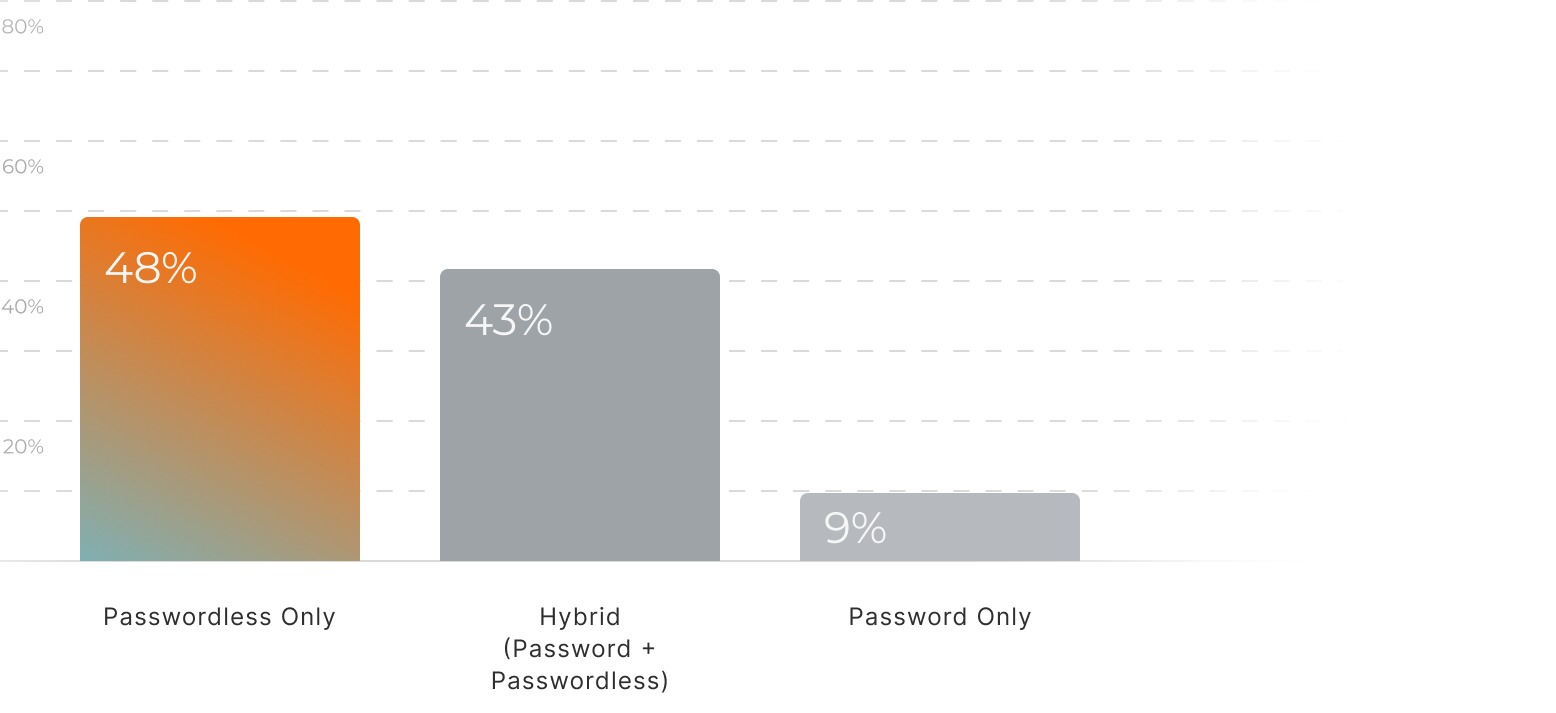
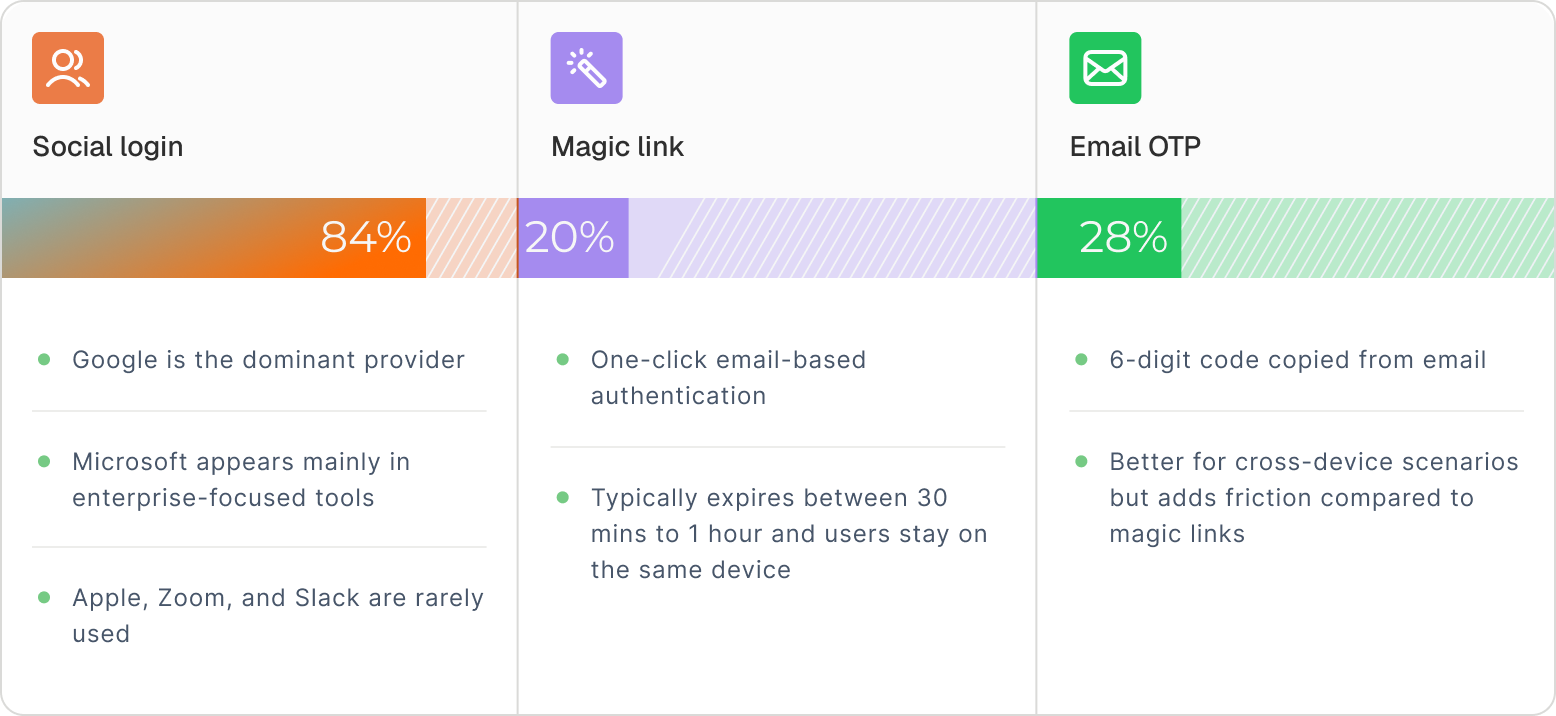
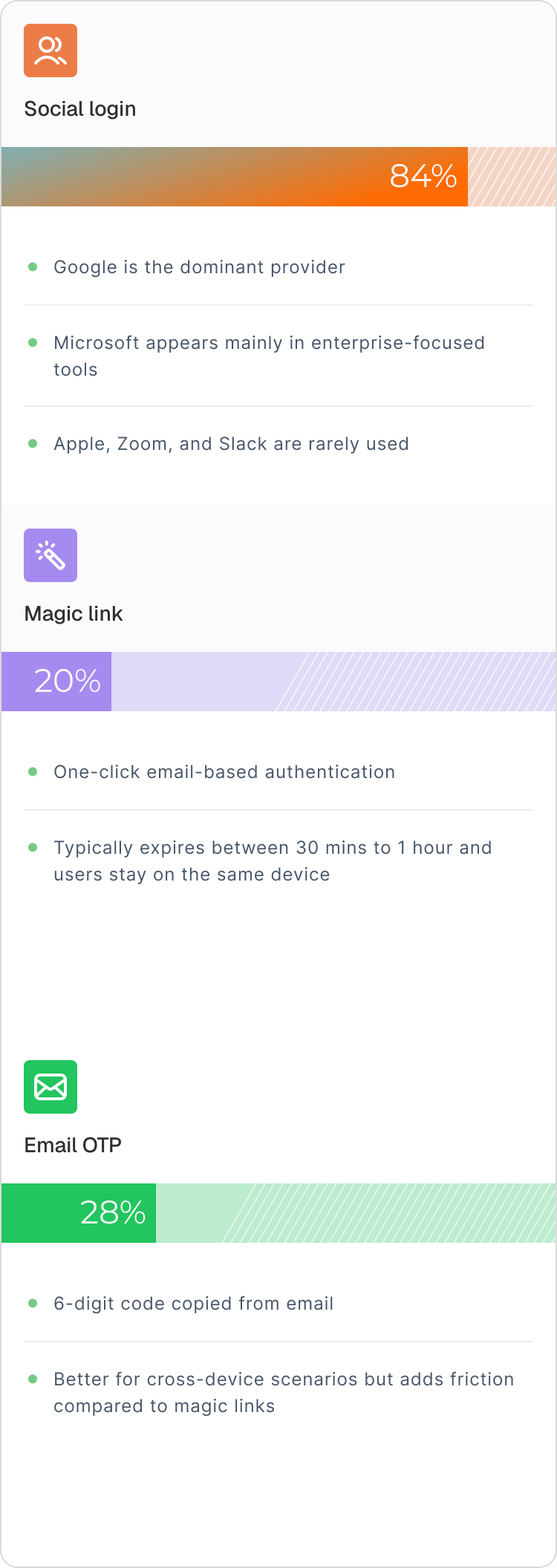
Passwordless isn’t something companies “grow into.” It’s a founding decision — made early because new users simply won’t tolerate password friction.
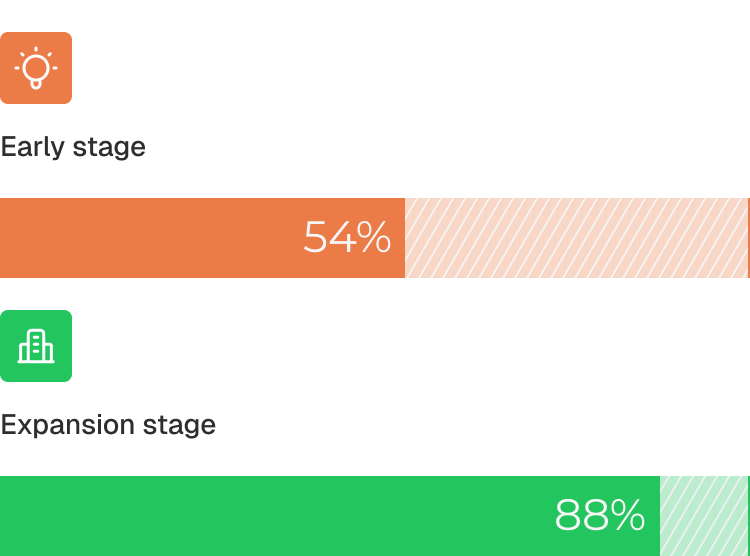
Passwordless adoption increases with the stage of the company.
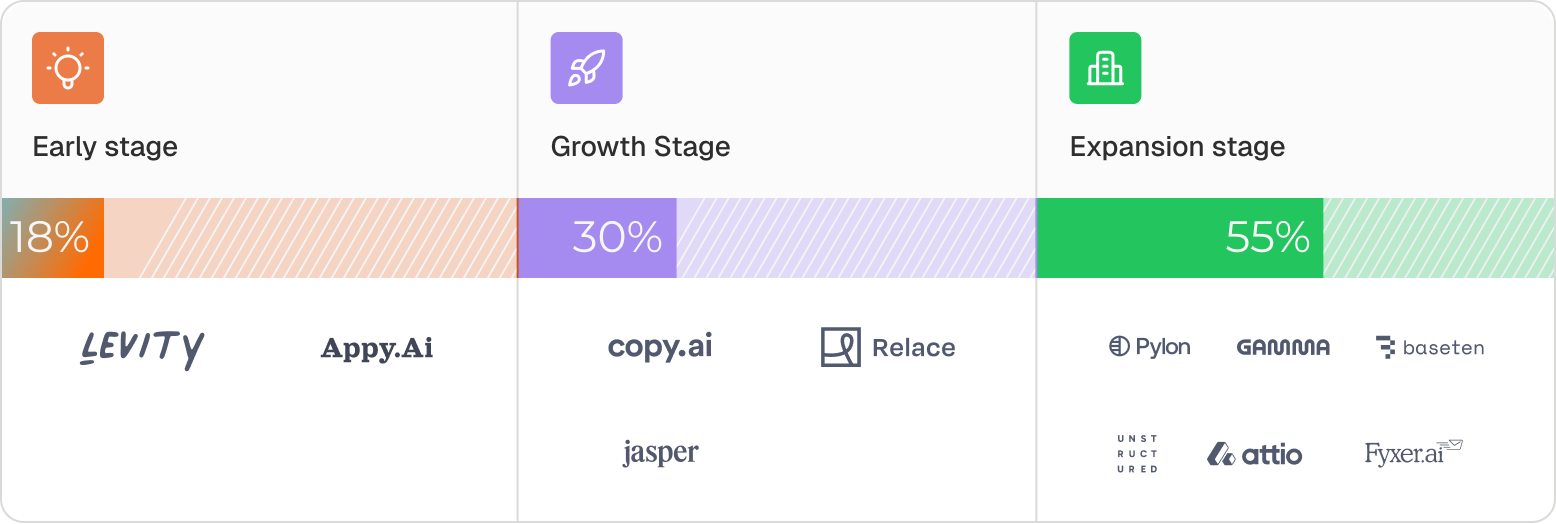
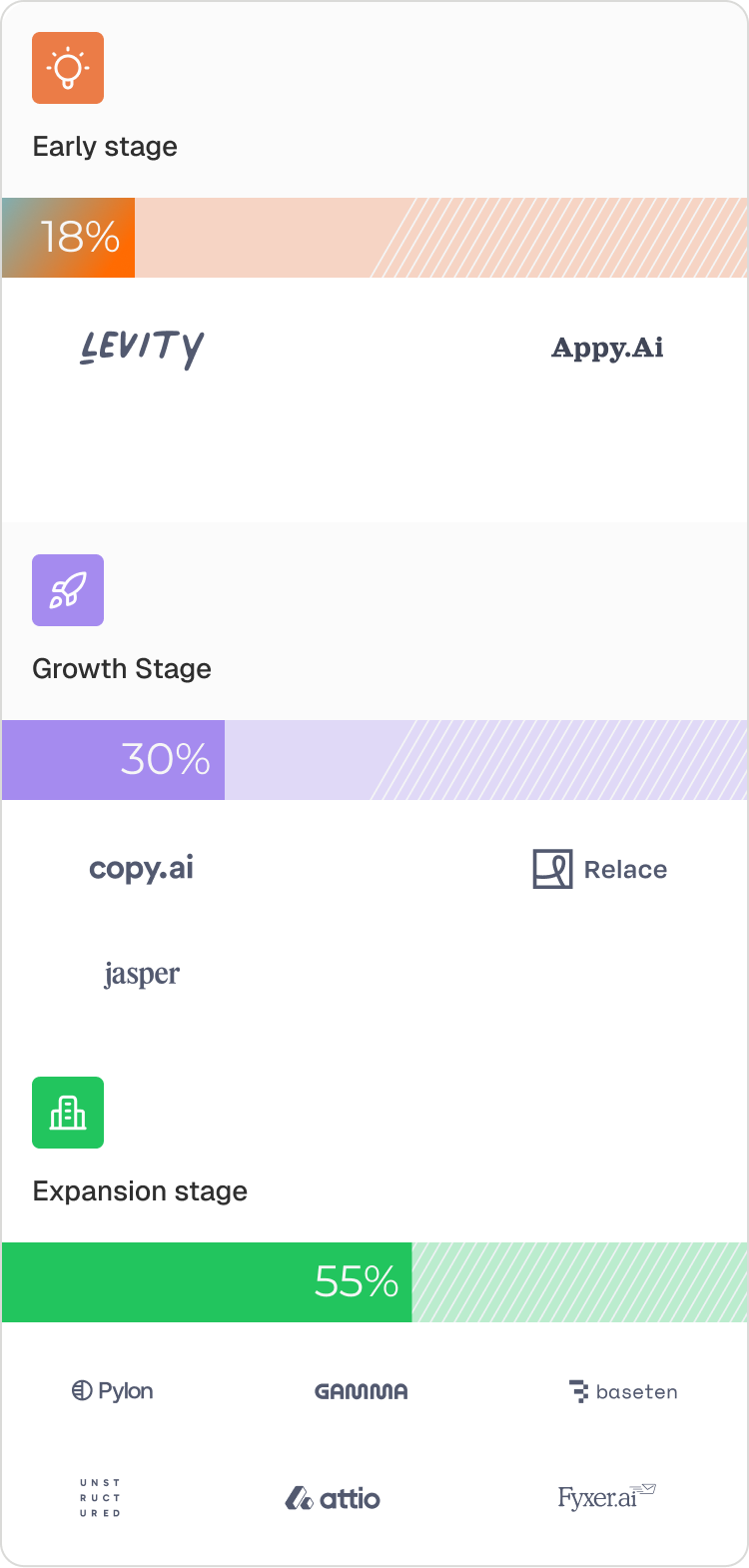
Once teams ship passwordless, they don’t go back, and they don’t outgrow it. It becomes part of the product’s core identity from day one.
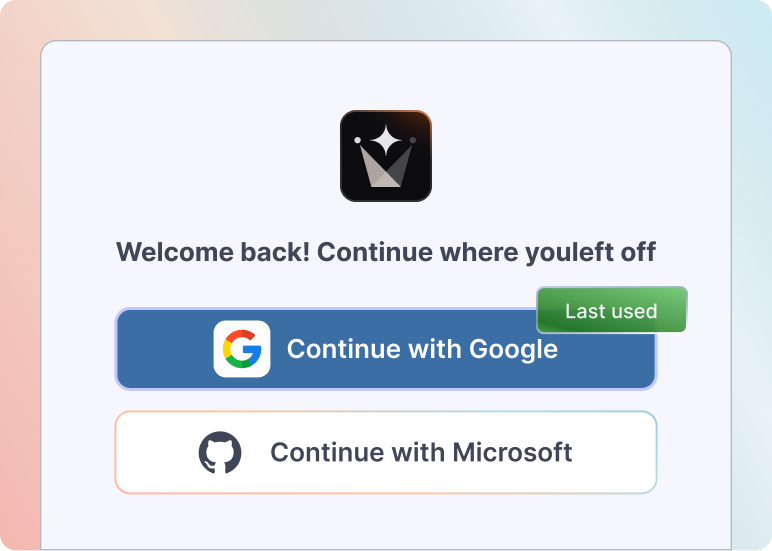
The ideal auth system balances strong security with low user friction. Here's how some of the companies we analyzed position themselves on this spectrum.
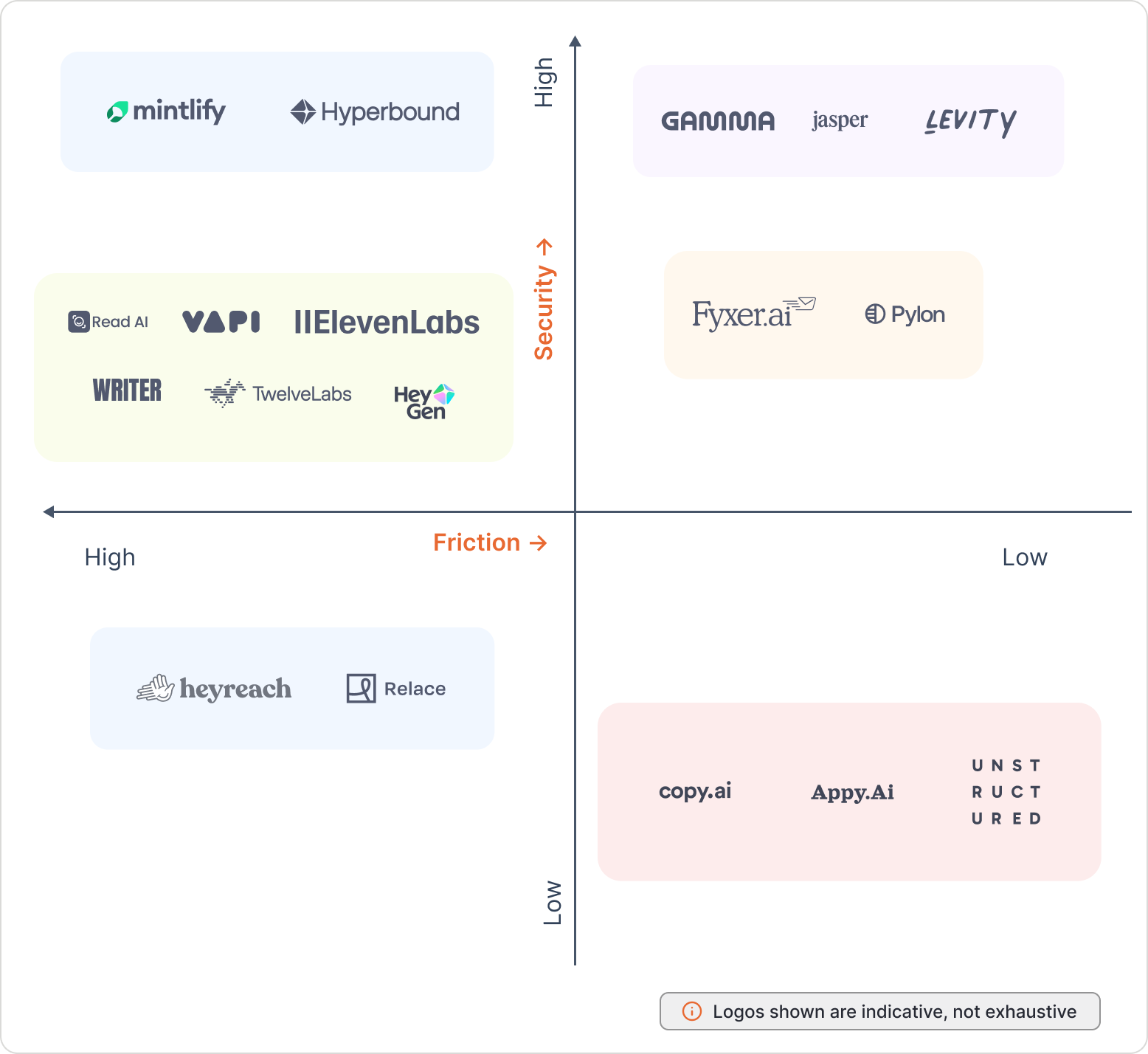
Passwordless might be the decision — but how you implement it determines whether users stay or bounce. And the bar is brutal because a bad signup or login experience drives 88% of users away.
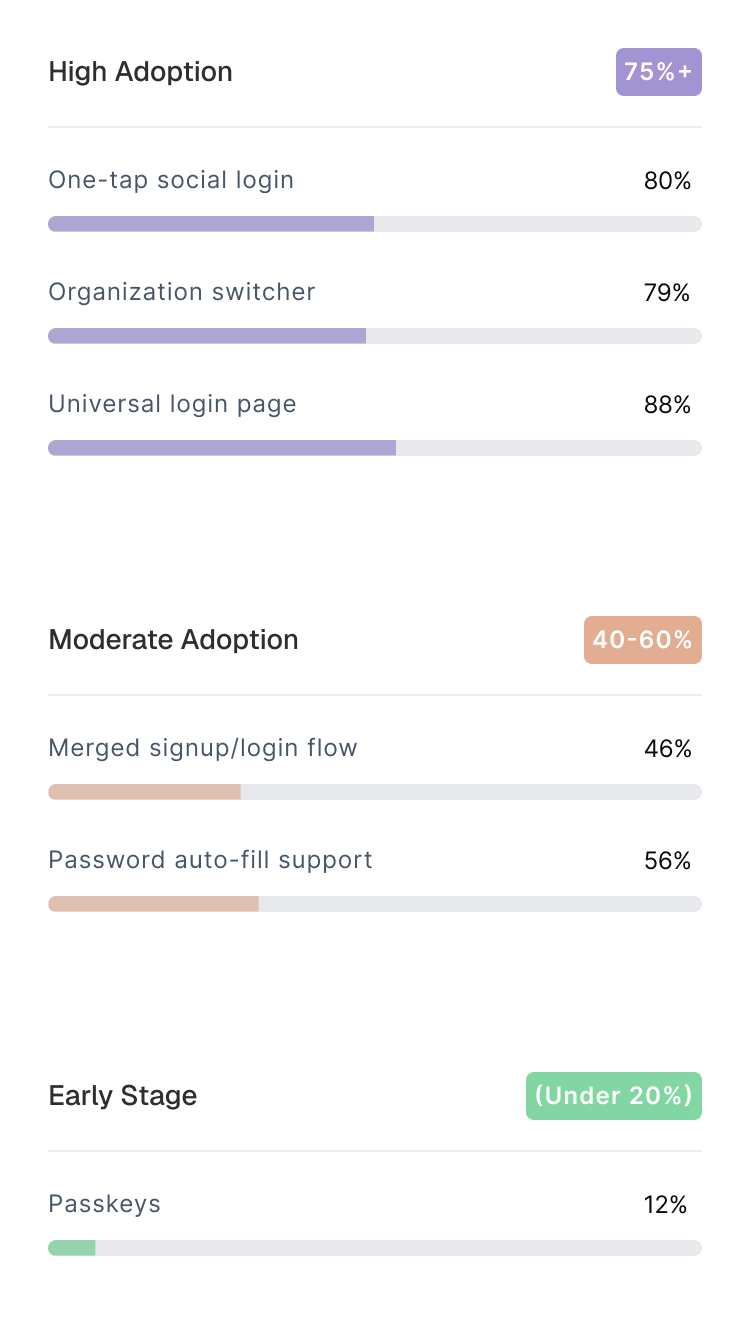
Some of these patterns became table stakes, nearly every company ships them. Others require implementation work that most early teams often tend to skip.
A few remain experimental.
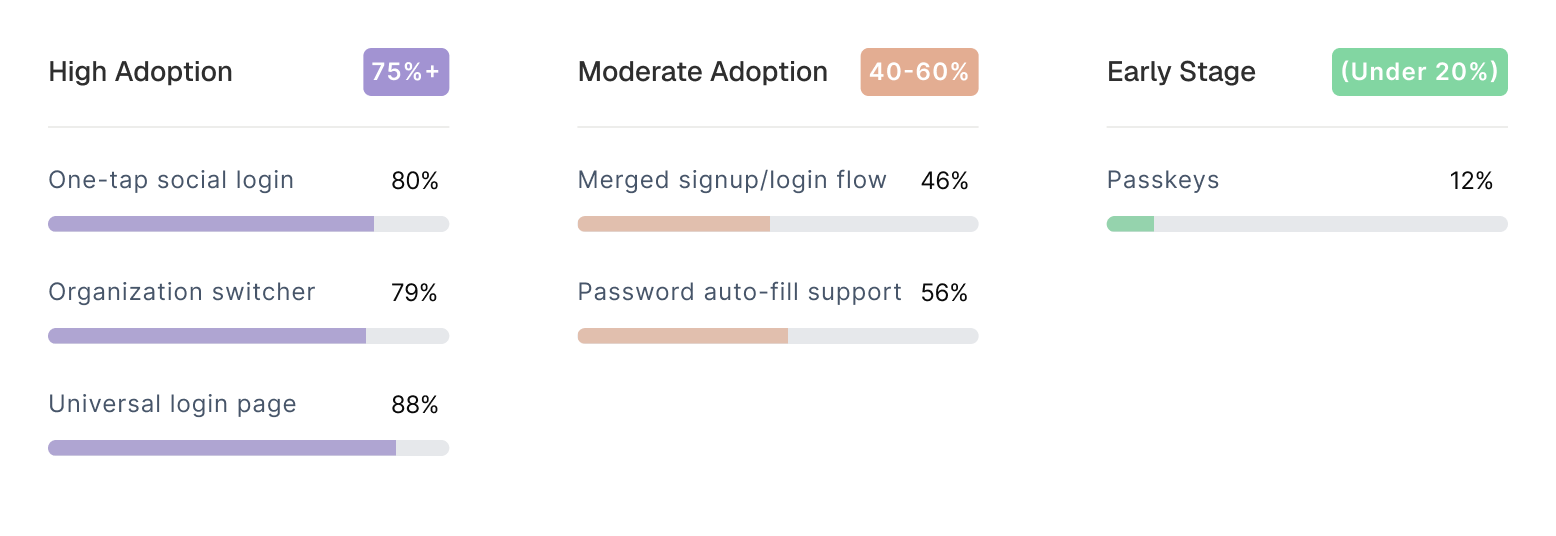
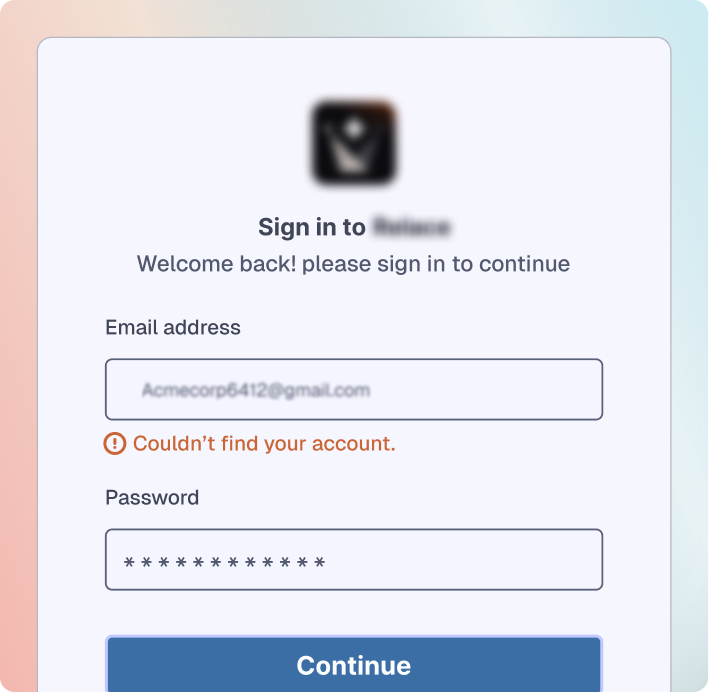
The first screen most users see asks them to choose: “Sign up” or “Log in?”
But users rarely remember whether they already have an account, especially if they tried the product months ago, joined via a team invite, or signed in previously with a different method
~75% of companies eliminate that decision.

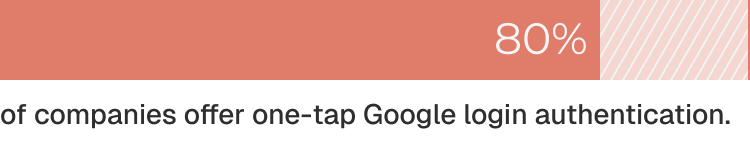
Standard Google login works, but it redirects you to Google's page, asks for permissions, redirects back. That's three pages for one action.
Whereas, one-tap shows your Google account in an overlay on the login page and authenticates you immediately without any page redirects.


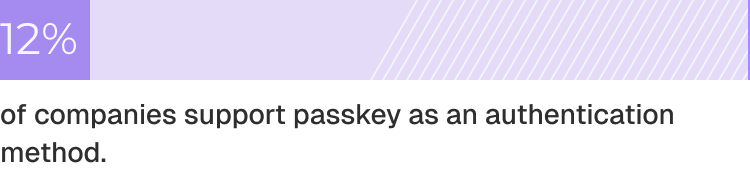
Passkeys replace passwords with device-based authentication — Face ID, fingerprint, or a device PIN. Rather than verifying a shared secret, passkeys use public-key cryptography: your device stores a private key, the server stores the matching public key, and authentication happens through a secure challenge-response.
They offer stronger security and less friction than traditional 2FA — folding “something you have” and “something you are” into a single, seamless authentication event.

As the adoption of AI products spread within organizations, users increasingly belong to more than one workspace. Switching context without breaking momentum has become a baseline expectation, not an advanced feature.
Organization switchers allow users who belong to multiple workspaces, for example, testing environment, staging, and production, to toggle between them without logging out and back in.
Users select their active workspace from a dropdown menu, and the interface switches context immediately.


As AI products grow, most teams run into the same pattern: bottom-up adoption moves fast. A single team starts using the product, others follow, and usage spreads organically across the company.
But the moment that spread reaches a wider organization, especially an enterprise — security and IT step in. And that’s when enterprise readiness becomes real.
It’s no longer just about adding compliance frameworks or audit logs. It’s about whether your product can plug cleanly into an organization's existing identity, security, and IT workflows, without creating operational overhead or security gaps.
Across the companies we studied, three authentication capabilities consistently emerged as the earliest and most deal-blocking requirements during enterprise evaluations:
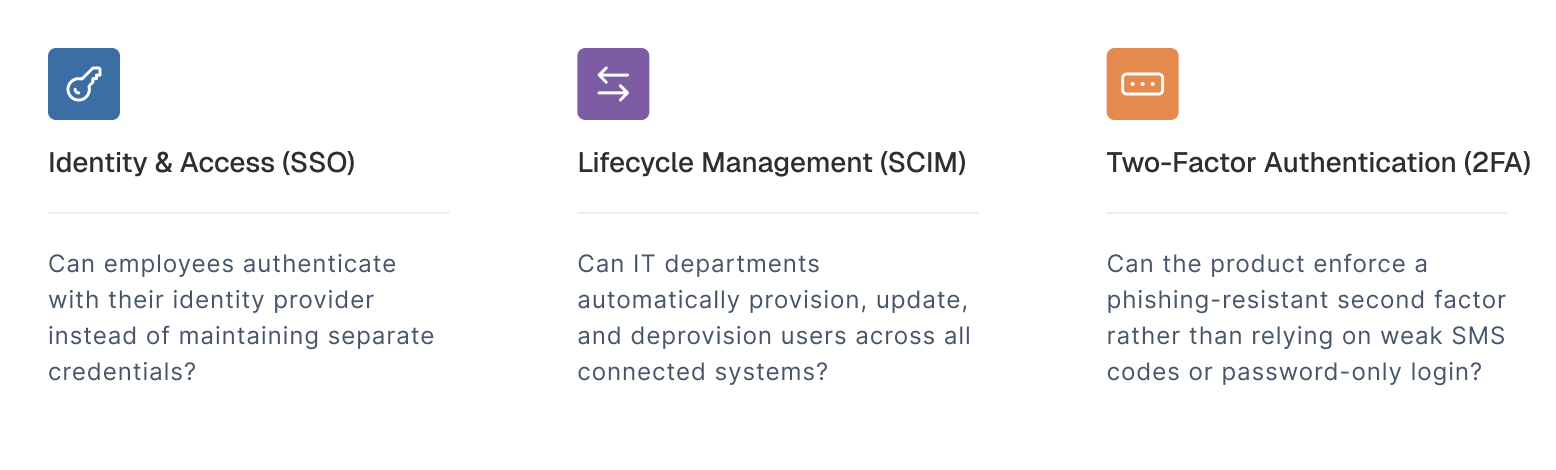
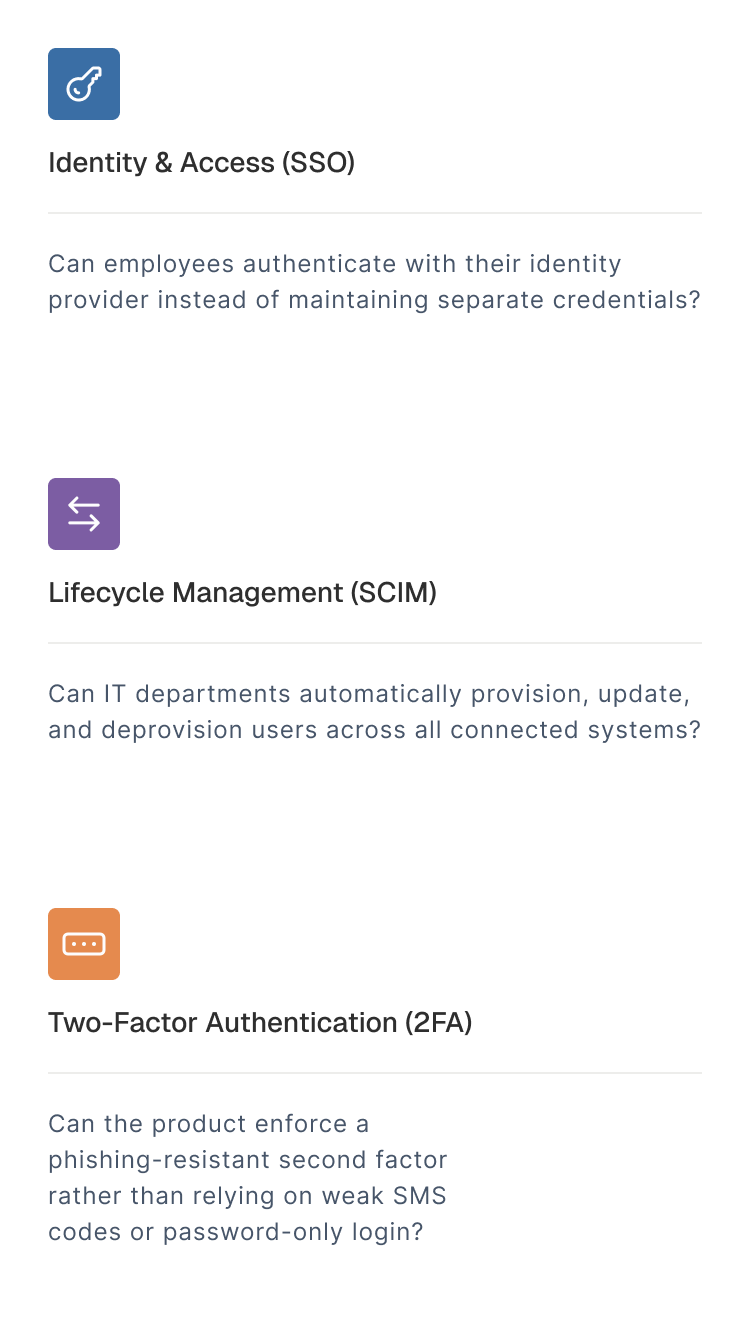
Organizations managing 106+ SaaS applications cannot manually provision users, cannot manage 100+ password combinations, and cannot tolerate security gaps from password-only authentication.
Our research creates a tiered market where companies at different maturity stages compete for enterprise deals with vastly different authentication capabilities.
When AI products start selling into larger organizations, a familiar bottleneck emerges: enterprises can’t manage user access the way startups do.
Teams running 100+ SaaS apps cannot:
This is why SSO has become the first enterprise checkpoint and an expectation.
78% of U.S. enterprises now require SSO during vendor evaluation. When a product lacks it, deals slow down, stall, or enter security exception processes that few early-stage companies can clear.
Best Practice: Email-First SSO Flow
Modern enterprise authentication follows a streamlined pattern without dedicated "Sign in with SSO" buttons:
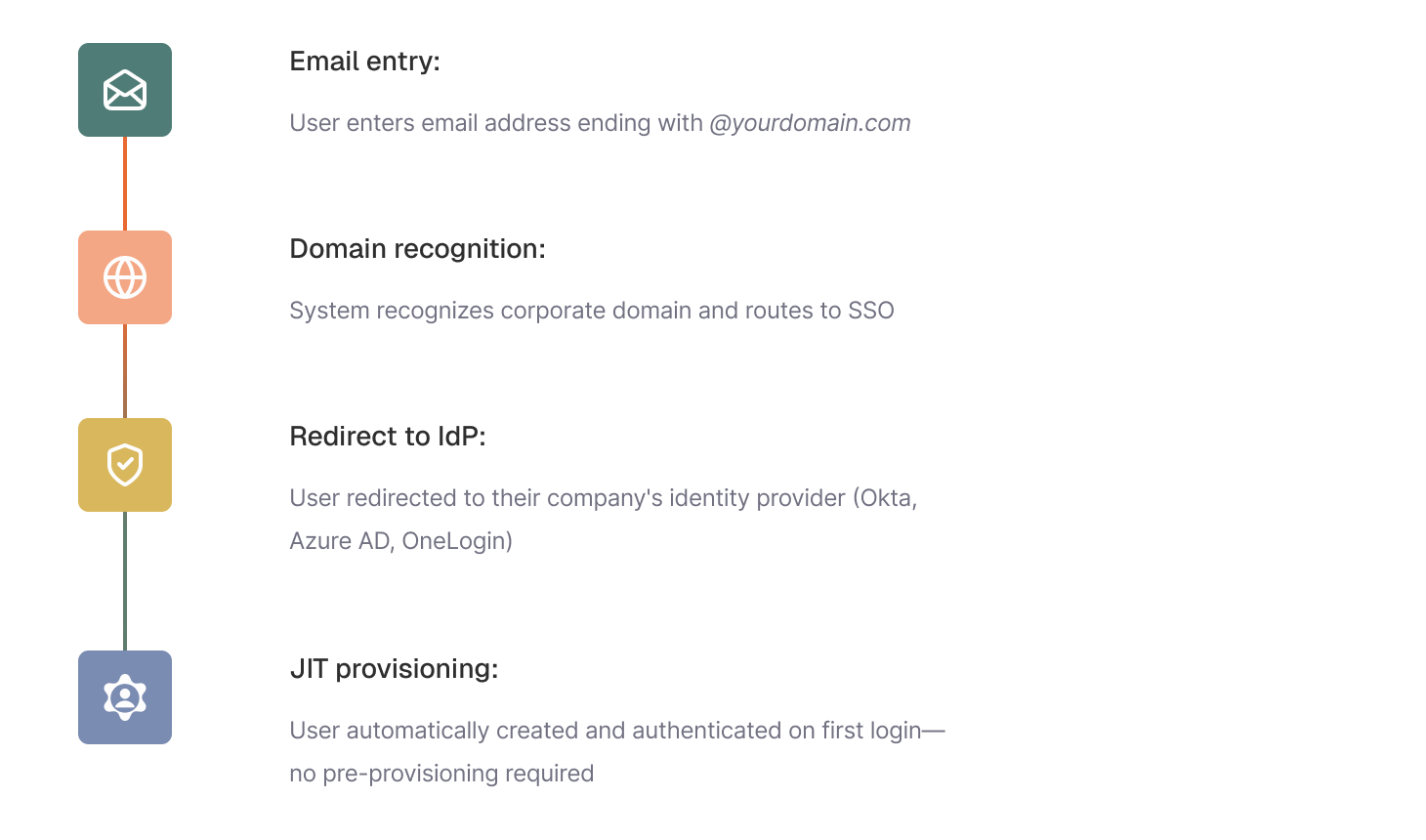
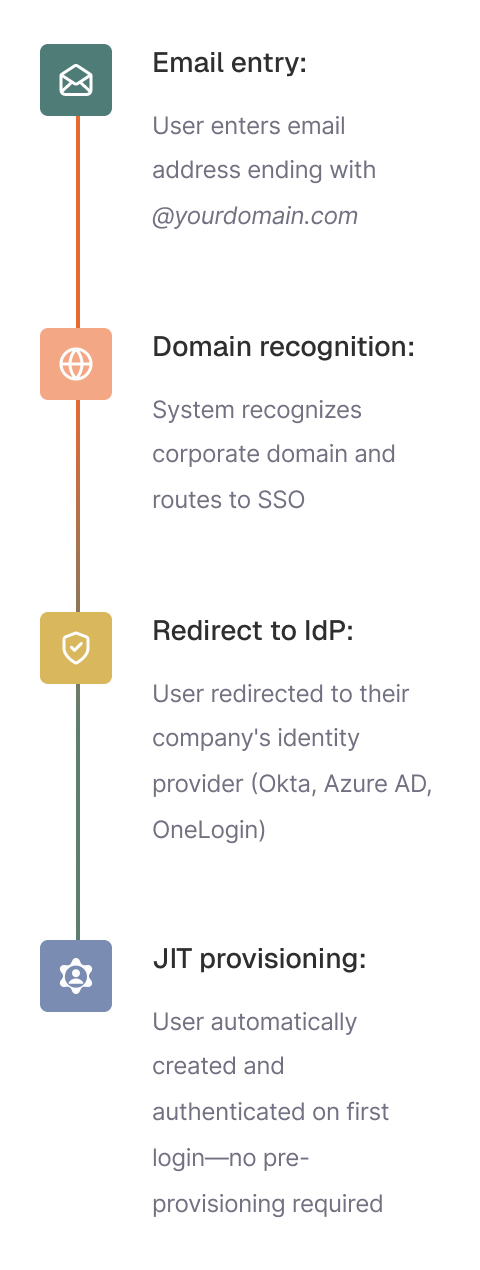
Why this works better than dedicated SSO buttons?
Once SSO is in place and users can authenticate with corporate credentials, enterprise buyers immediately look to the next layer: automated provisioning.
SSO establishes who the user is. But IT teams still face the operational burden of:
At scale, and especially in security-sensitive industries, this creates a huge gap.
That’s where SCIM (System for Cross-domain Identity Management) comes in. SCIM lets the organization’s identity provider (Okta, Azure AD, OneLogin, Google Workspace) automatically create, update, and deactivate users in your product.
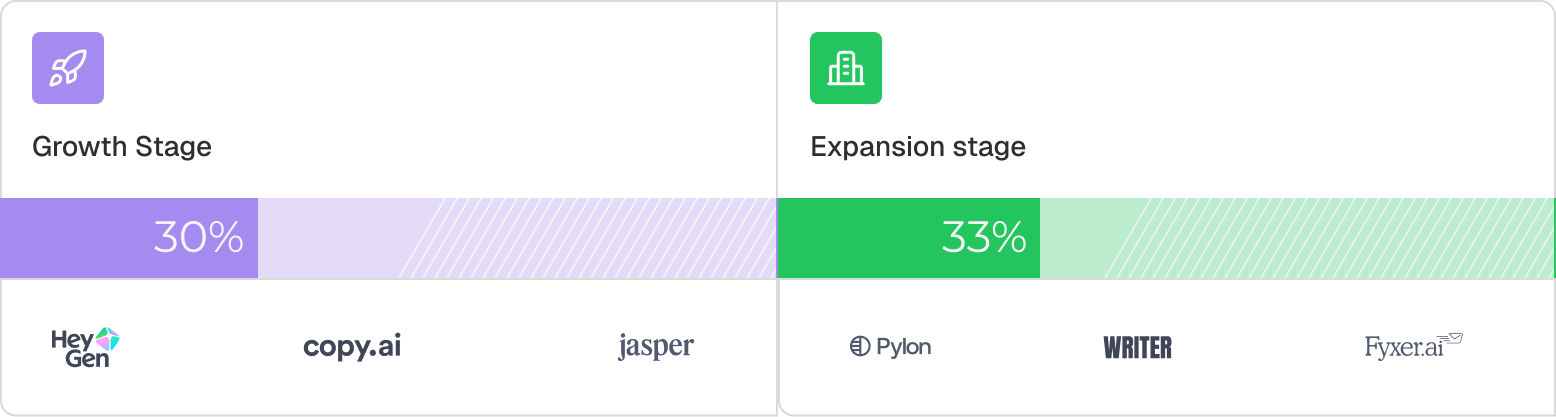
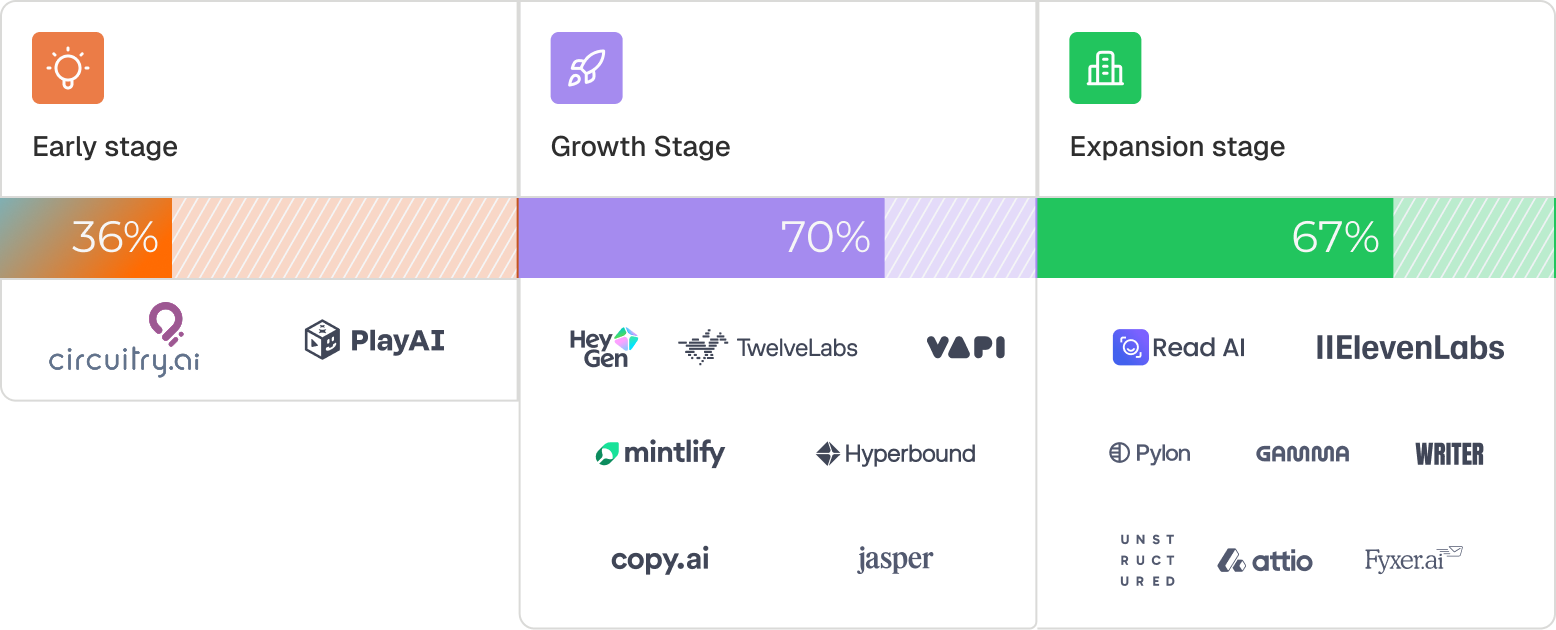
Across the companies we studied, SCIM is nonexistent at early stage and only appears in 30–33% of growth stage companies.
This pattern suggests that SCIM is typically implemented reactively; when enterprise deals start slipping, rather than proactively as products move upmarket.
SCIM transitions from "nice-to-have" to "requirement" when:
Once identity (SSO) and provisioning (SCIM) are in place, enterprises look for controls that harden access across all systems. For most organizations, this means requiring multi-factor authentication at the identity provider level (Okta, Azure AD, Google Workspace).
This doesn't replace your product’s authentication — it strengthens the corporate login boundary.Most enterprise MFA happens at the IdP, not inside the vendor’s product.
So when companies add product-level 2FA, it's usually to secure their own native login methods (email/password, magic link fallback), not to supplement SSO.
Why product-level 2FA shows up during enterprise evaluations?
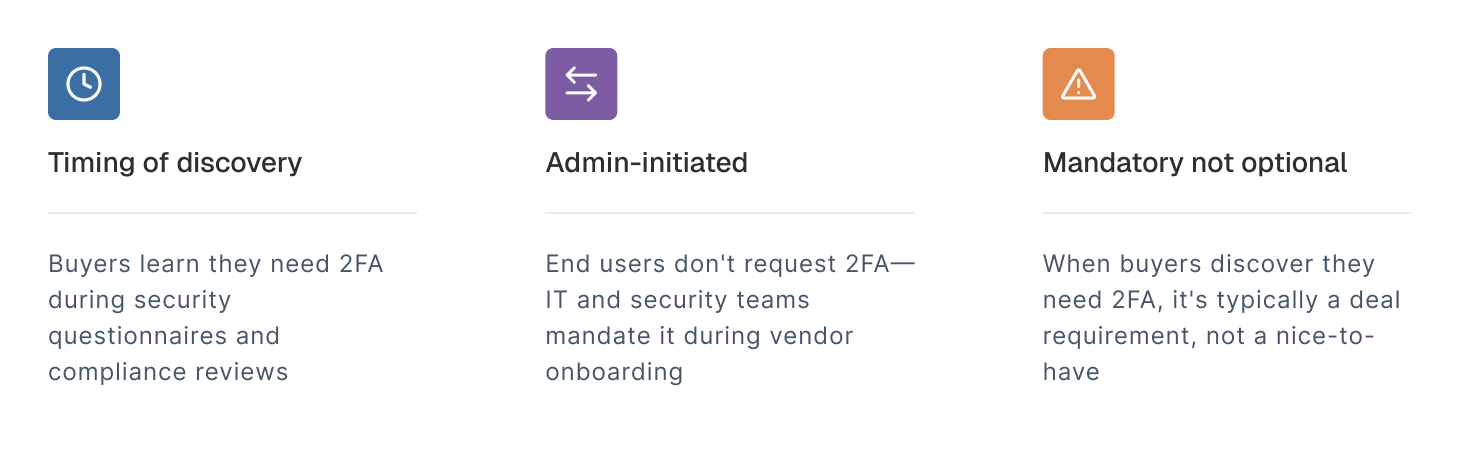
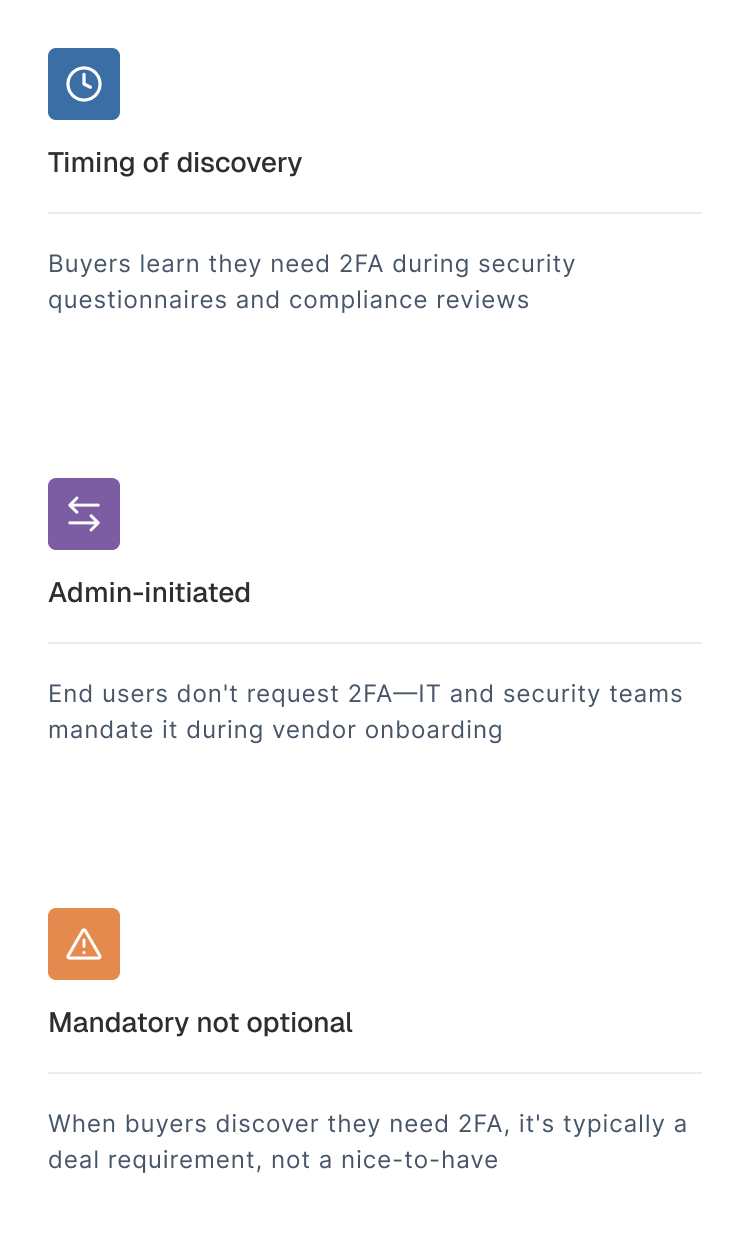
Buyers discover they need it during procurement, when they encounter questions from IT and security teams:

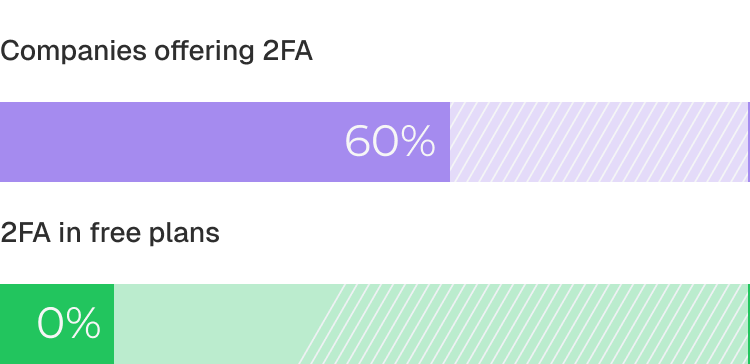
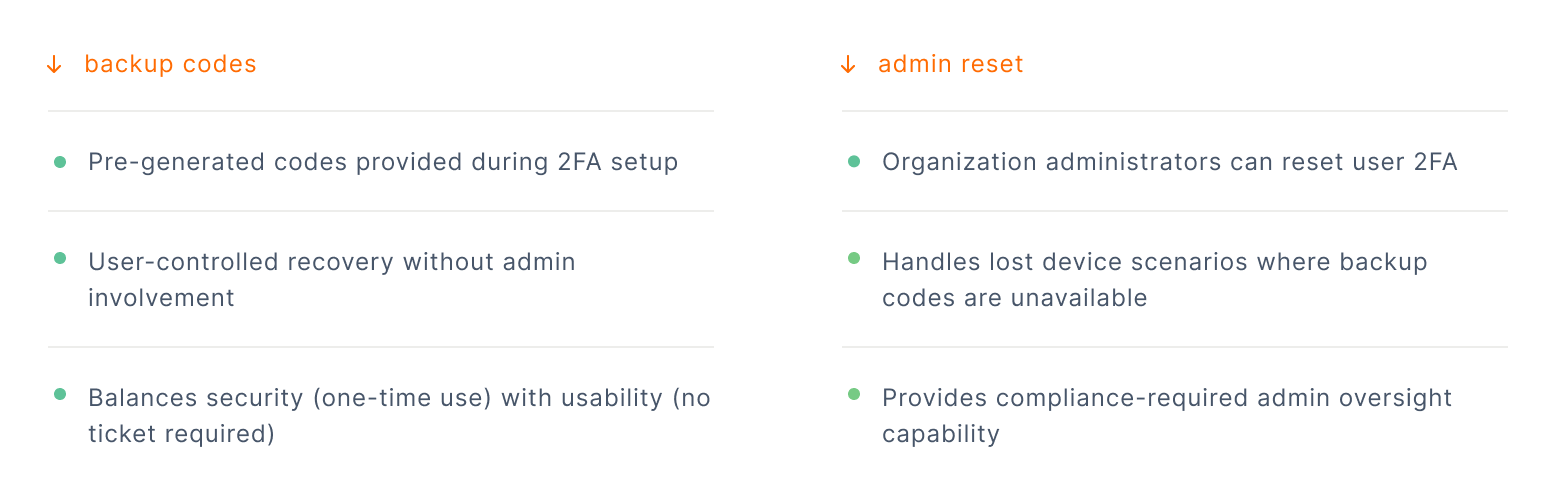
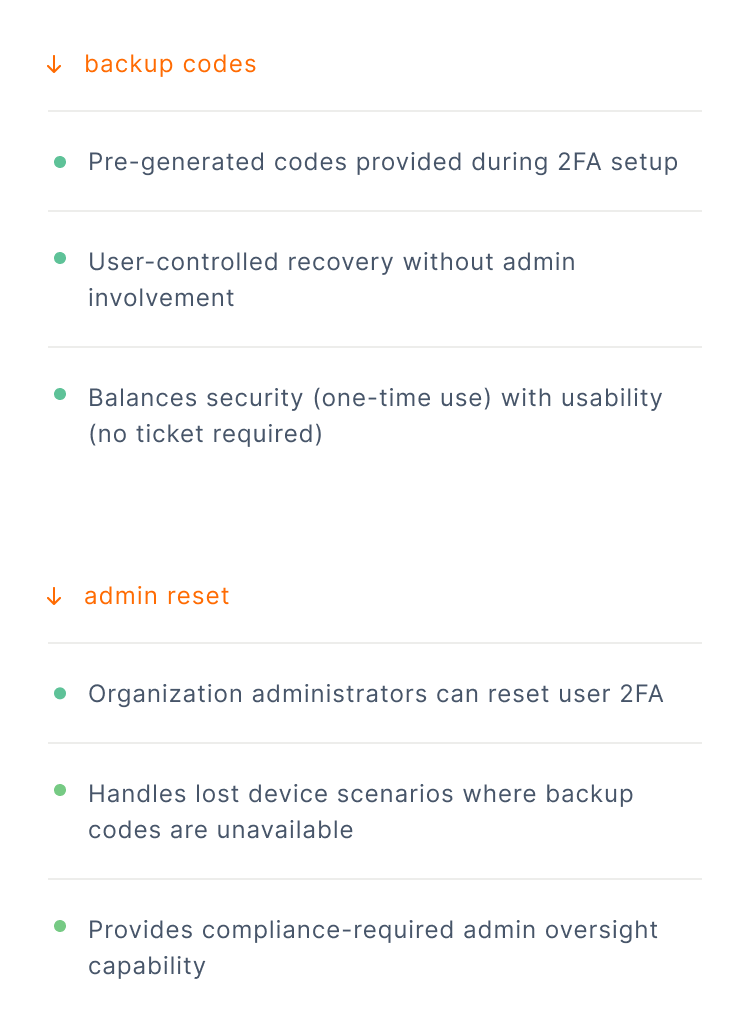
No product offers 2FA on free tiers because the need typically emerges during enterprise procurement, and not during initial product evaluation. When 2FA becomes required, enterprises also expect reliable recovery options for native accounts.
Together, the following flows ensure both usability and auditability:
Unlike passwordless authentication that is offered to reduce onboarding friction, 2FA is universally premium because:
This makes 2FA an ideal enterprise tier anchor: a feature with near-zero price sensitivity (buyers either need it or don't) that clearly separates SMB from enterprise packages.
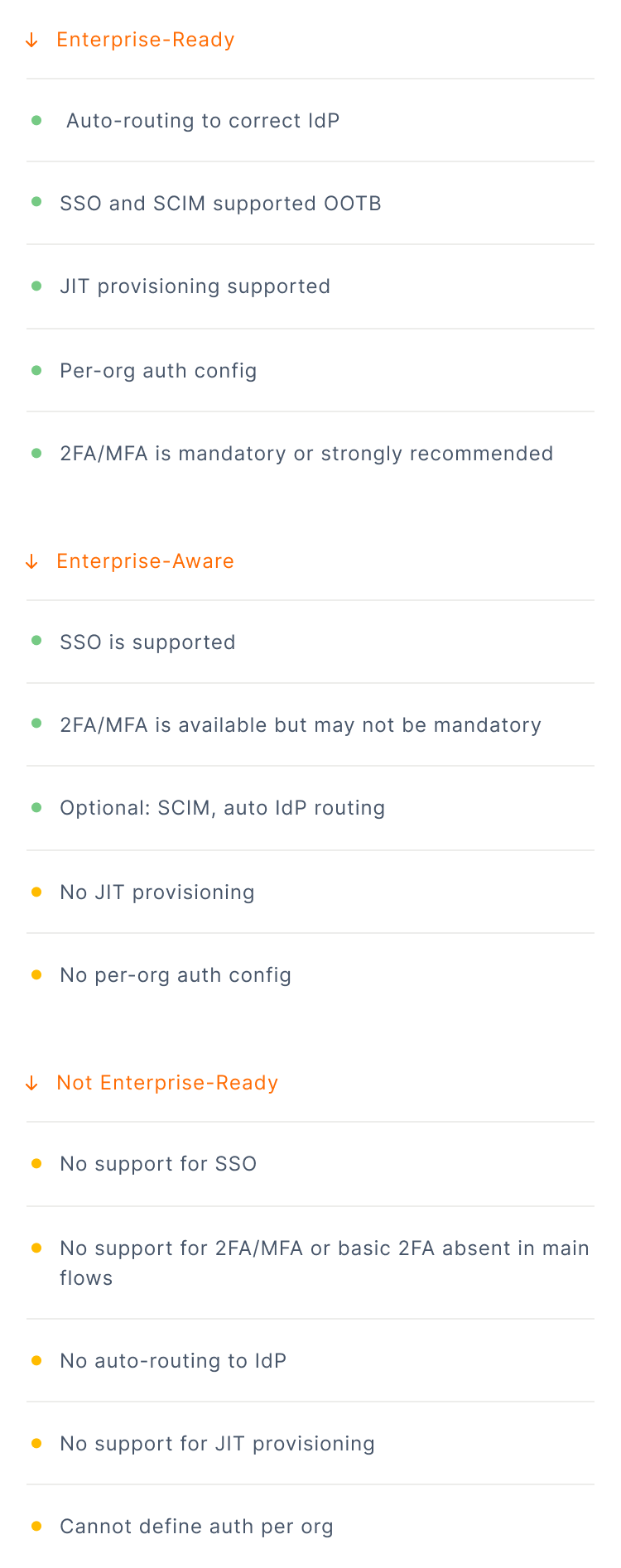
To understand how prepared each product is for enterprise adoption, we evaluated how clearly and deeply they support enterprise-grade authentication and identity provisioning.
Across the dataset, products fell into three distinct maturity tiers:
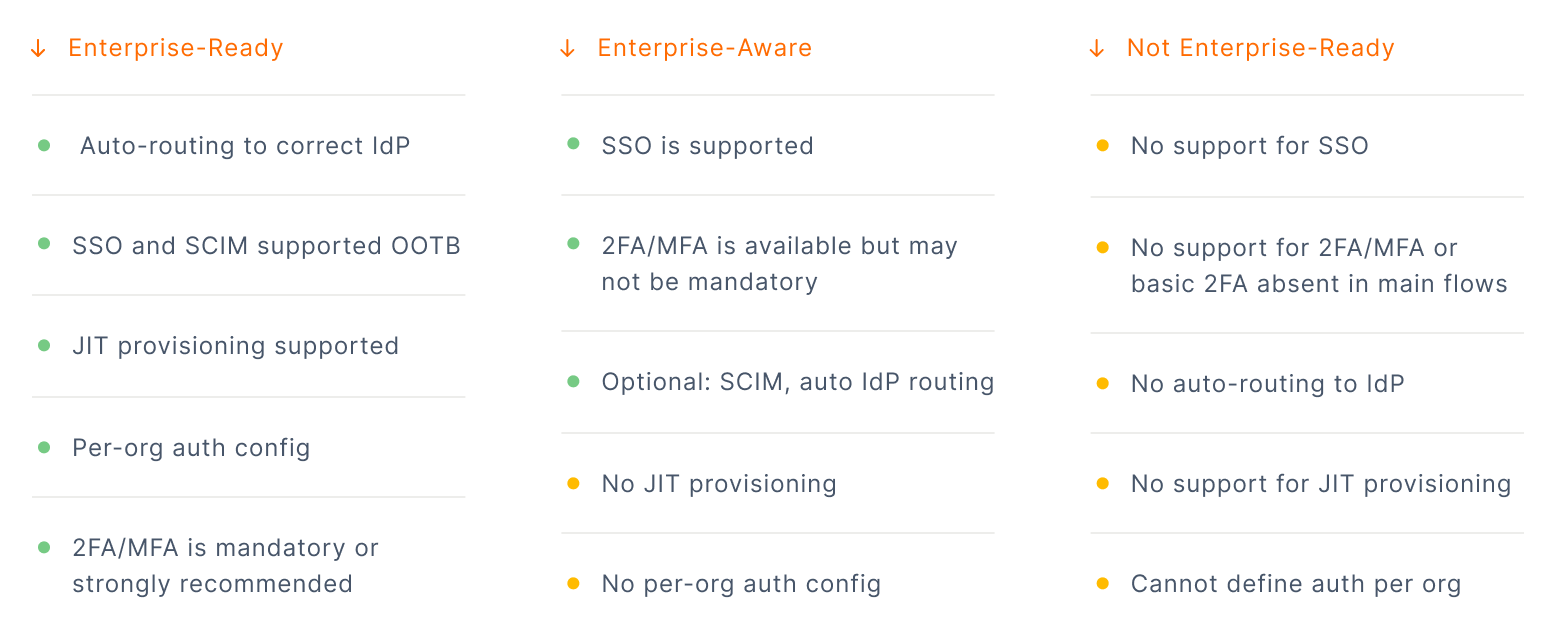
SSO and SCIM handle enterprise deployment at scale, but long before a product reaches that stage, the real expansion happens at the organisation layer— through invites.
Invites are the mechanism by which organisational structure begins to take shape in your product. They determine how usage propagates inside a customer account: one user brings in a teammate, that teammate adds their department, and adoption grows organically from there.
This is especially important because everything upstream — roles, billing, access policies, SSO routing, SCIM provisioning, ultimately anchors to the organisation as the primary unit of identity. If invites are inconsistent, lack metadata, or bypass org boundaries, the entire multi-tenant model becomes brittle.
Some products treat invites as the backbone of PLG growth. Others gate them as a premium feature. But across the dataset, three patterns consistently emerged.
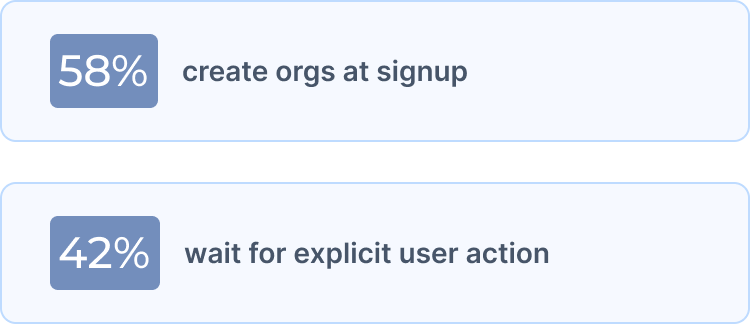
Some products automatically create an "organization" or "workspace" during user signup, while others defer org creation until the user explicitly initiates team collaboration.
The pattern by target market:

B2B application users frequently operate in multiple contexts. Without multi-org support, identity becomes fragmented and increases friction for users.
They will have to:


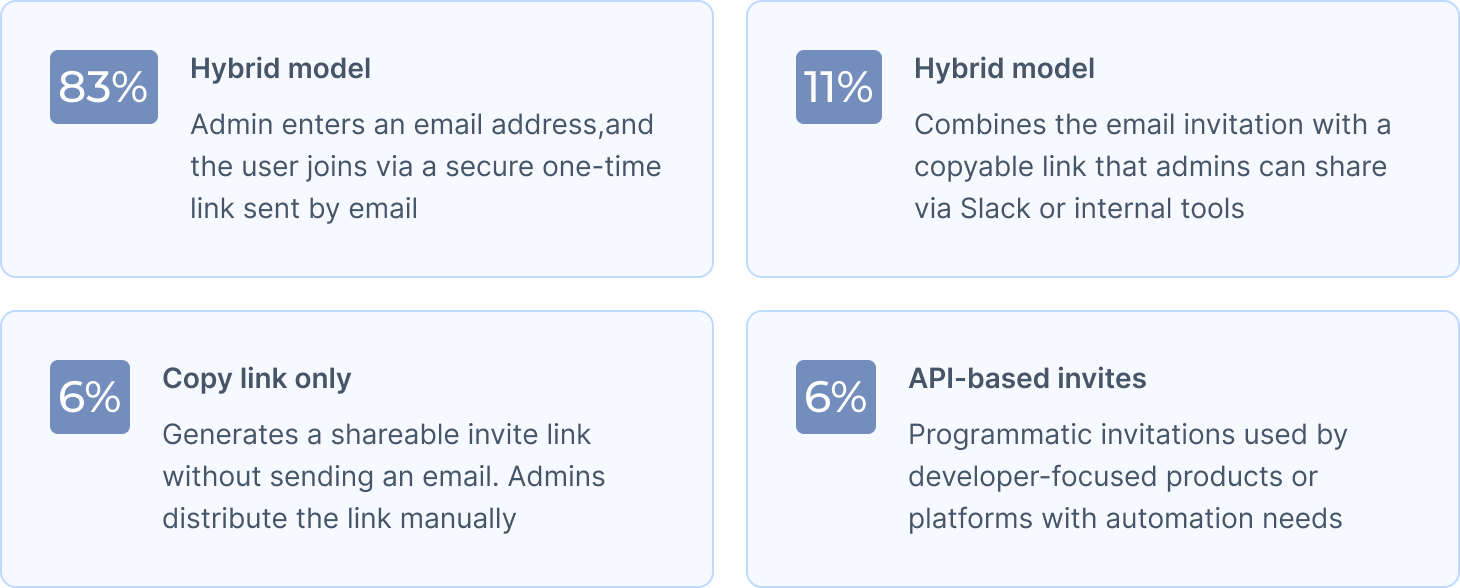
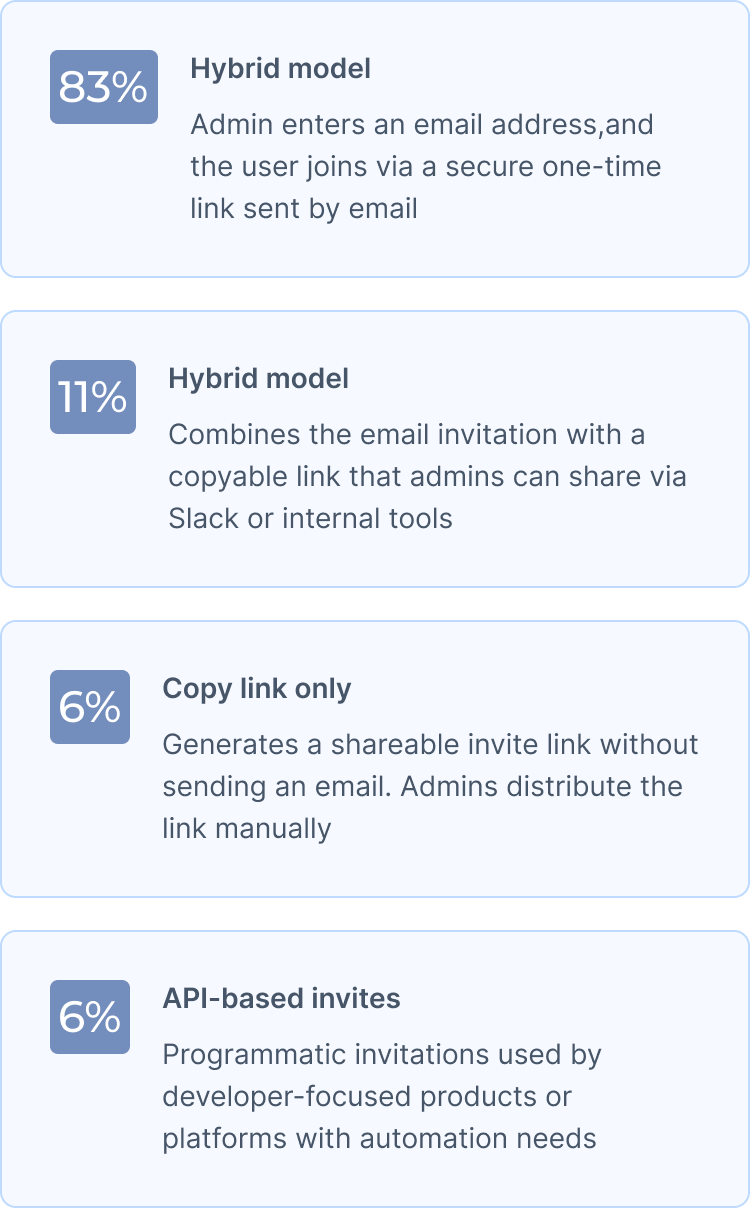
Inviting teammates remains one of the clearest indicators of how a product intends to grow. The mechanics vary, but most products converge on the same pattern:
When teams are small, giving everyone the same permissions feels straightforward. But once teams grow beyond five people, uniform access becomes an operational and security risk.
Your finance lead shouldn’t access customer data. Your customer success team shouldn’t modify billing settings. Your contractors shouldn’t see employee compensation.
Role-Based Access Control (RBAC) addresses this by mapping users to roles, and roles to granular permissions. Yet the path to implementing RBAC, especially with custom roles, is far from simple.
Building a production-grade authorization infrastructure typically requires 12–18 months of engineering: designing a permission model, building a roles service, enforcing permissions consistently across APIs, wiring audit logs, enabling custom roles per tenant, and exposing safe admin interface. And it usually lands at the exact moment companies need to accelerate enterprise sales, making it one of the most common blockers in upmarket motion.
What this means for your product
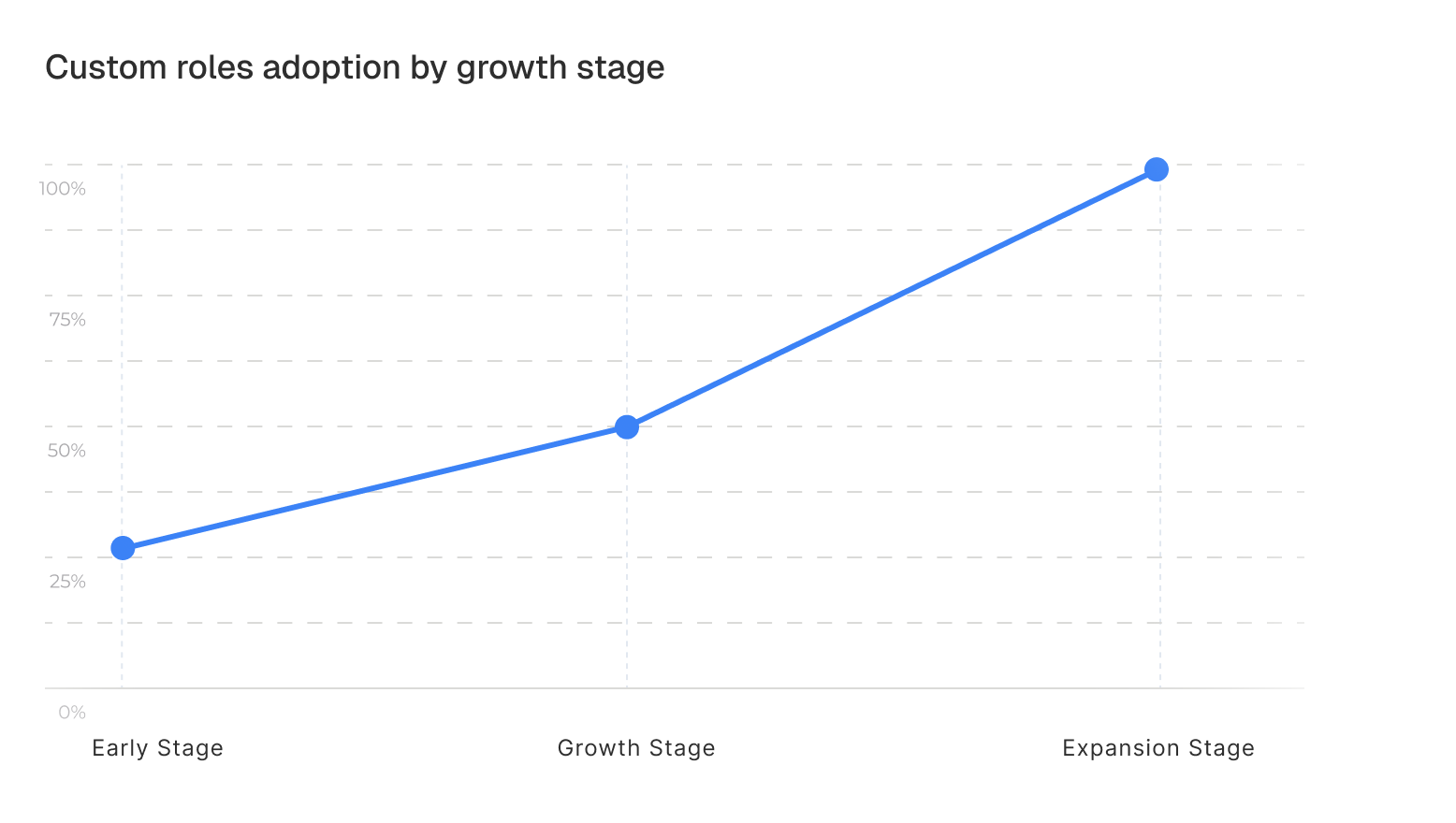
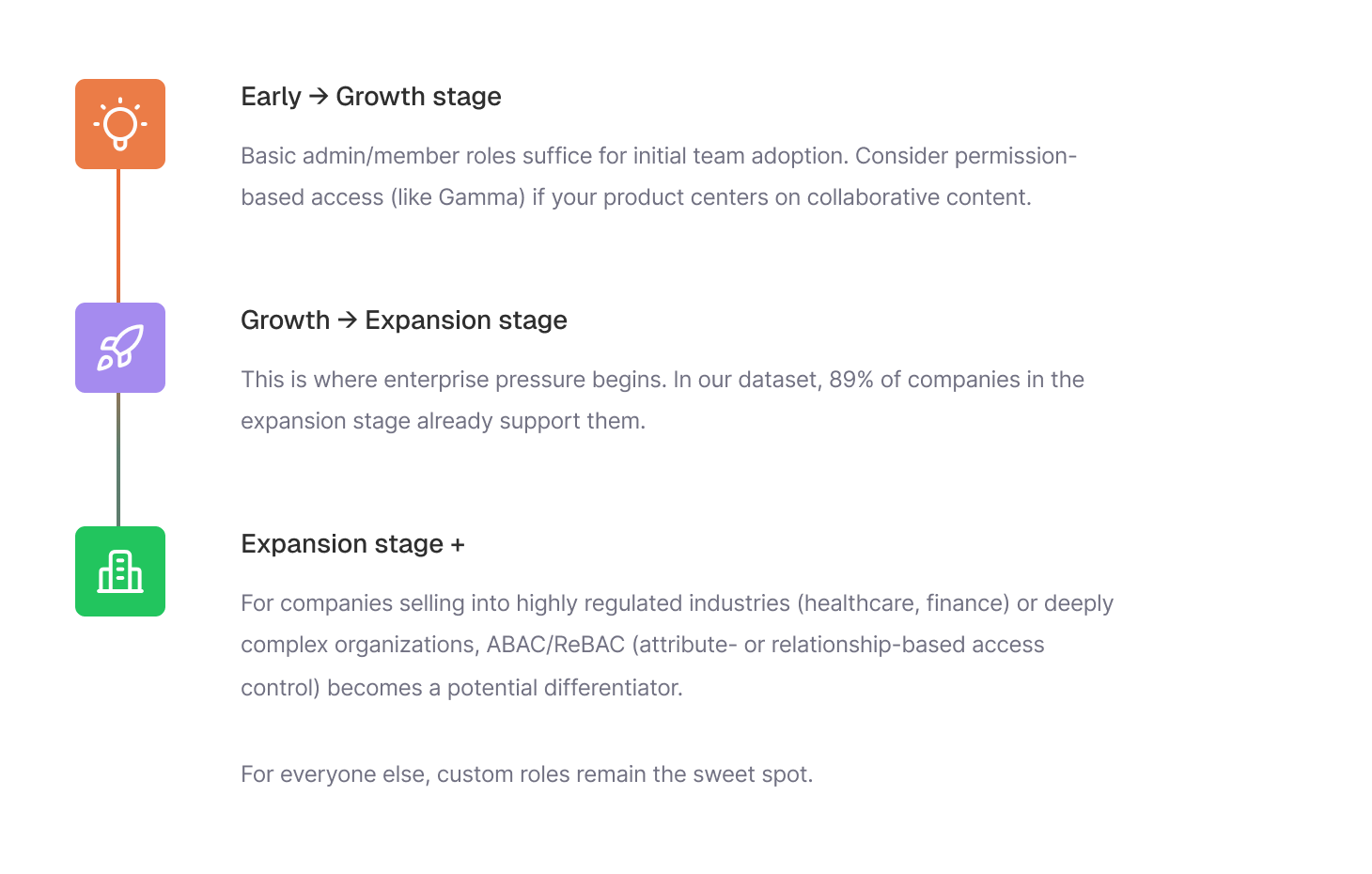
RBAC adoption follows a predictable pattern across the companies we analyzed:
Every product builds identity differently. This quick self-assessment helps you see how your stack compares — from modern passwordless flows to enterprise-grade control.
Discover where your authentication stack stands compared to fastest-growing AI products
Identity evolves quickly as products grow. This breakdown shows what companies typically prioritize at each stage, from early activation to enterprise requirements.

Speed matters more than security features. Companies bet on passwordless and social login to eliminate signup friction.
1/3rd already serve enterprise customers, but most prioritize individual user growth over enterprise infrastructure.
What matters: Build what closes deals today, not what might be needed later.

Enterprise deals shift from nice-to-have to survival.
The challenge: Building enterprise features fast enough without compromising the PLG motion that drives growth.

Authentication infrastructure evolves from “supporting growth” to creating competitive advantage. Baseline expectations include:
The goal: Offering enterprise-grade security is expected with zero added friction.
Authentication evolves differently in every company — shaped by customers demands, engineering bandwidth, and how quickly the business grows. Some teams add enterprise features early. Others scale through PLG before the first security questionnaire shows up.
In the early days, prioritising product velocity over a perfect authentication model is completely rational. But the same shortcuts become increasingly expensive to extend later.
A single mis-scoped permission, a brittle SSO flow, or an inconsistent login path can derail an enterprise rollout, introduce support complexity, or even stall a deal entirely.
The companies that scaled cleanly were the ones that avoided one-off implementations, and leaned on abstractions that allowed their identity model to evolve as the product grew.
That’s exactly why we built Scalekit: we turn identity into a set of modular, full-stack primitives that can be adopted incrementally, without rewiring your app every time your requirements evolve. Integrate it once, keep your product moving fast, and grow into enterprise-grade authentication without re-architecting anything later.